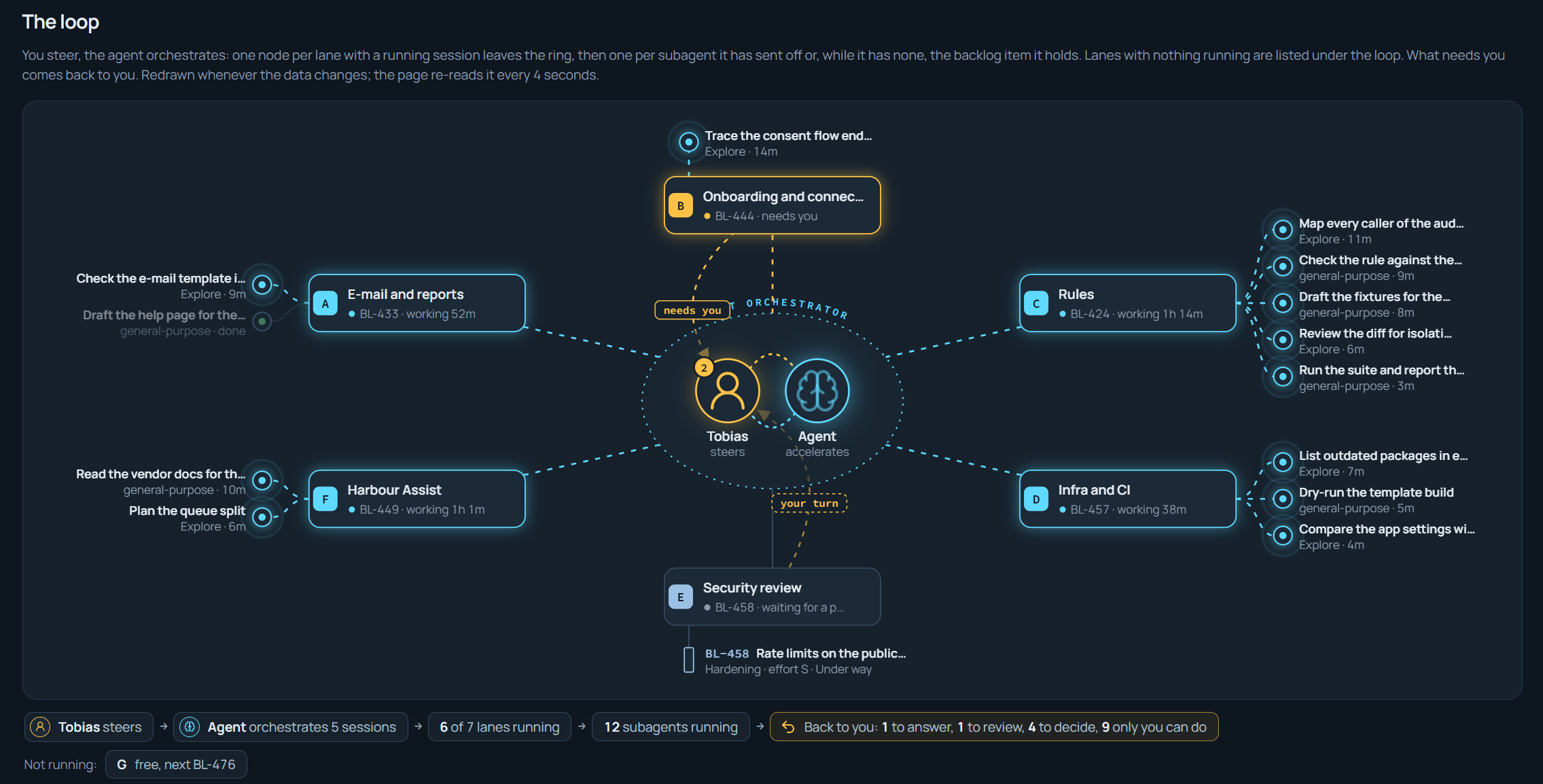
Agentic AI engineering is an article series on running coding agents on real codebases: what I do, what the agents do, what worked and what didn’t. I wrote this for engineering leaders deciding whether to work this way, and the engineers who would. At the same time, I’m hoping you’ll have some ideas to share back so we can all learn together.
- Agentic AI engineering: I steer, the agents orchestrate
- Agentic AI engineering: What the humans do, what the agents do, and where the hard lines are
- Agentic AI engineering: Why instructions aren’t enough for coding agents
- Agentic AI engineering: Multi-agent orchestration across lanes without conflict (this post)
- Agentic AI engineering: Read-only by default, the MCP servers my coding agents may use and the ones they may not
- Agentic AI engineering: Lessons learned running coding agents, what broke, what failed, and what changed
Overview
In this post I’ll share how multiple coding agents and their sub-agents share one working tree in my projects, without conflicts. RIght now, I run up to seven sessions at the same time, on one branch, with no merge step between them. Each session can spawn sub-agents, so at any given moment there are more than seven pairs of hands on the tree. They don’t collide (mostly), and the reason is four things I set up before any session starts: lanes isolated by files, a one-line claim on a lane, a set of work items per lane, and lately, messaging between the agents so they can sync on work between themselves while it goes on. That last part is the newest, and it’s the one I want to get into in this post.
Context
Whether you’ve worked with agentic AI engineering workflows for a while now, or just getting started, I’m sure you’ve seen multiple sessions modifying code and at some point they collide or cause merge conflicts. I wanted to steer the direction of the agentic workflow more rigorously to gain more efficiency, while allowing as much autonomy as possible for both the humans and the AI agents.
Without getting into details about the conflicts and type of issues that can create with multi-agent workflows, what I did about it was to give each lane a block of numbers, claimed before any work starts, with a rule that nobody mints a number outside their block. Whether your backlog exist inside your repo, in Azure DevOps, on GitHub, Jira, Trello (does that even exist anymore?), or any other structure, the line of thinking would be the same. For me, I’m managing this particular project with an in-repo backlog in markdown.
When I taught the agents to better communicate with each other, they could hand over work between lanes, and also wait for work across from lanes to finish up and message back that they can continue on a particular capability or work item.
It might look like a lot of text flying in there with backlog item IDs, but most if it isn’t read by a human, but the agents. It’s working really well and gains a lot of efficiencies for multi-agent orchestration so you don’t sit and prompt for one thing and wait for the results; agents should work autonomously, and this is a real unblocker for that, at scale.
How it works
I get parallelism from partitioning files, not from merging branches. In other words, I can more easily control which files on disk belongs to which lane, than I can from separation of branches. Everything else follows from that one choice, and it comes down to the four things below:
- Lanes isolated by files
- Claiming a lane
- Getting a set of work items
- Messaging between agents
Let’s dive in.
1. Lanes isolated by files
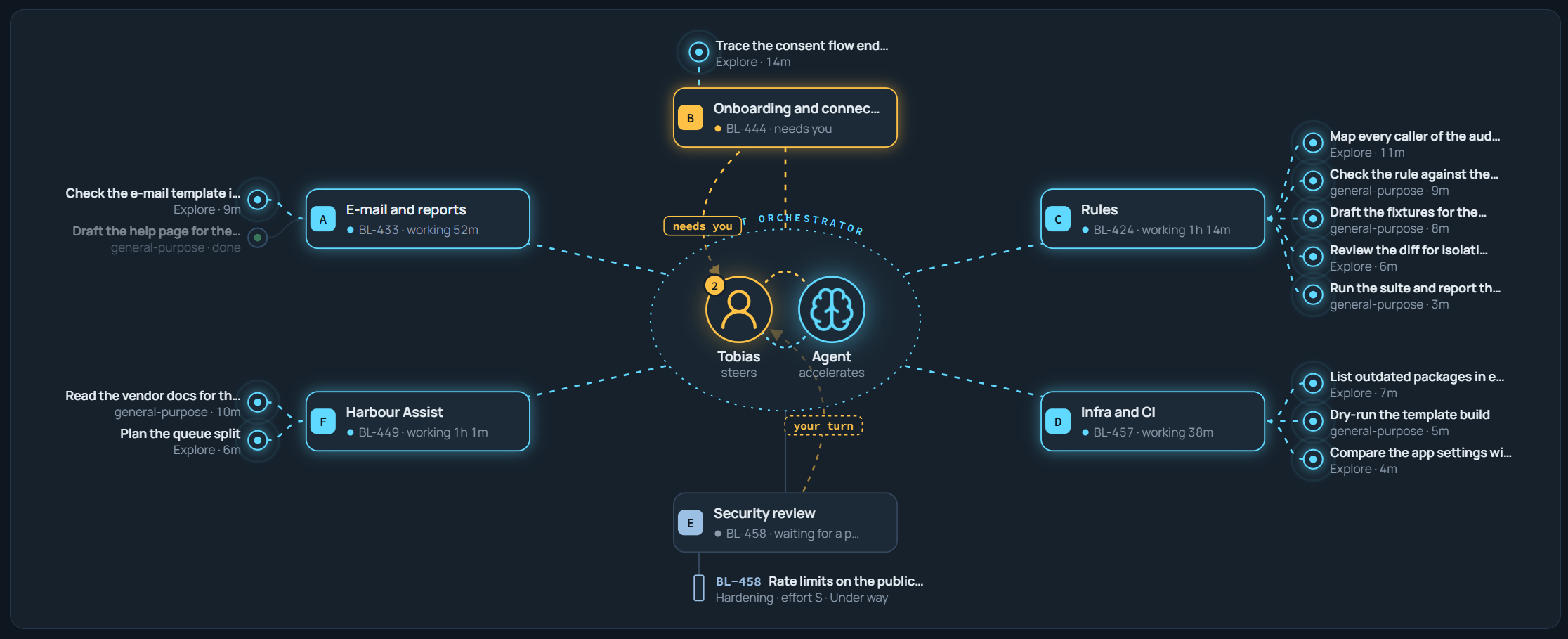
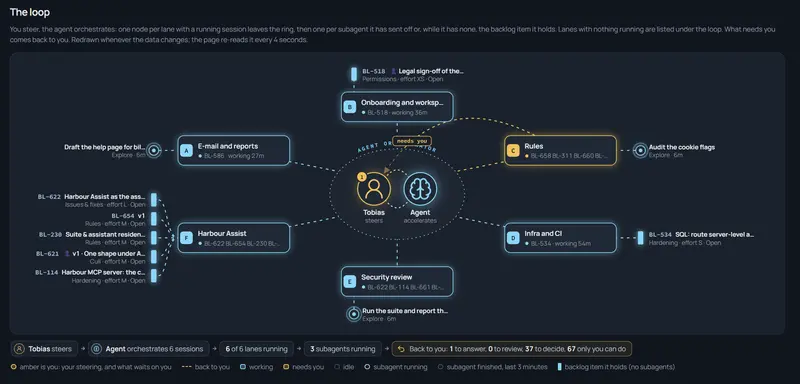
A lane, in my setup, is a named set of files or folder structures as a fence. A queue of items that touch only those files, and the area rules that apply there. In this project I have seven: mail and reports; onboarding; the rules engine; infrastructure and CI; security review; the AI assistant; and second-gated security reviews by other agents and models (including DAST and SAST). The handover file holds one entry per lane, and I have each session read its lane’s entry before anything else:
### Lane D: Infrastructure and CI
Fence: infra/**, .github/workflows/**, docs/backlog/50-platform-hardening.md
Queue: BL-5xx what-if mode in the deploy workflow · BL-5yy an alert on the dead-letter queue
Session: lane-d-14 · BL-5xx · since this morning
IDs: BL-640 to BL-649
I don’t let a session edit a file outside its fence, even to fix something obvious. It flags the problem and leaves a “left for lane X” note in that lane’s entry, and that lane picks it up next morning. When a lane’s queue is empty, I have it grep for those notes before it declares itself done, because I’ve noticed that the hand-offs from other lanes are where its real work tends to hide.
Sub-agents on the same tree
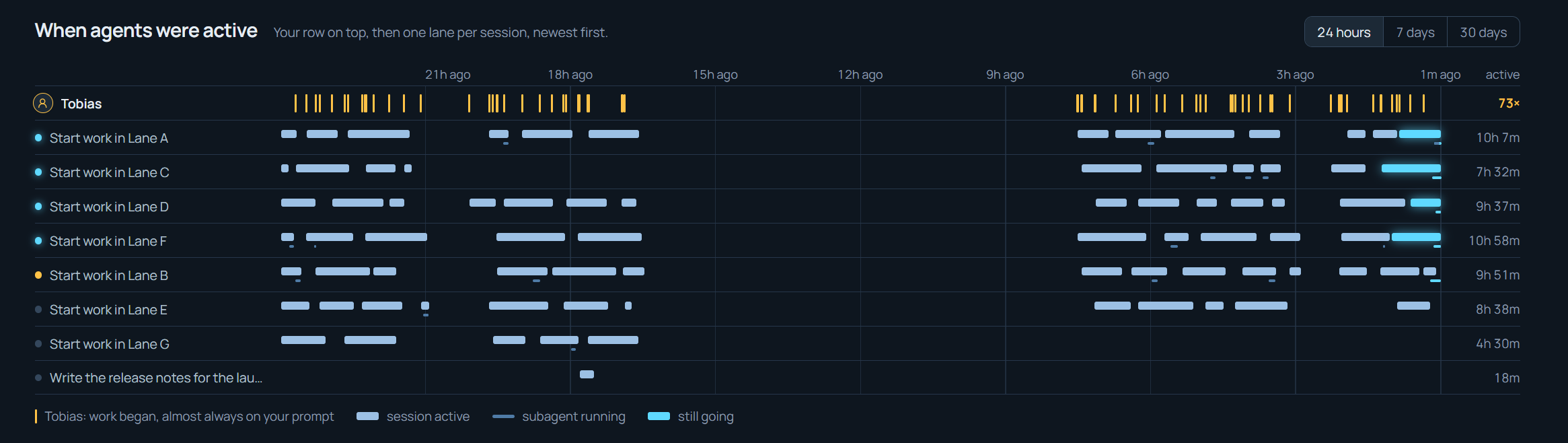
A session in a lane delegates reviews, searches and isolated pieces of work to sub-agents, and I draw them as branches on the board. Two rules keep them harmless. I separate them by file too: the brief names the files the sub-agent may touch and pastes the terminal allow-list in word for word, because a sub-agent never sees the rules file (but they obey the settings and real rules). As always, I also don’t let anyone trust their own test results: a sub-agent’s passing suite is its own green, taken while other hands were editing the tree, so I have the lead session re-run the suite itself before it reports to me, and then another lane picks up a third-party review with different models and different tools for second opinions.
2. Claiming a lane
An agent claims a lane by specifying in the main lane/backlog definition: session name, item, since when. It’s one edit of one line, every other session sees it when it reads the handover, and the session that made it removes it when it hands over.
Nobody commits on their own. While the lanes run, I might sweep the tree into a commit, for example once an hour, and that has a consequence the agents had to learn: a hand-off that says “not committed” is unreliable, because my sweep may already have happened, and the truth is whatever git status says. For the same reason I require the tree to compile after every batch of edits, and the post-edit build hook from part 3 enforces that for me.
So, an agent claims a lane, does its work, verifies it, hooks enforce proper compilation + test runs and flag that it’s ready to be committed.
3. Getting a set of work items
The lane entry is also where a session gets its work. The Queue line is the set of items it may pick up, in the order I want them done, and the IDs line is the block of numbers it may use when it creates new items along the way. The block is claimed the same way as the lane, as part of the entry, so two lanes can’t produce the same ID again.
Be decisive in how you want to handle backlog items, and which system you’re using, then let you agents know where to confidently pick up the next available work item for each lane. That’s how my lanes can pick up multiple work items for any given lane, at any time, and execute autonomously for tasks that doesn’t require a human.
4. Messaging between agents to sync on work
Perhaps one of the biggest learnings and the newest piece is that my sessions message each other to sync on ongoing work, without me in between. Claude Code’s cross-session messaging lets one session list the others on the same machine and send a short text to any session by name. On the same machine the message travels over a per-session socket or named pipe, never through a server. The receiving session reads it between tool calls inside its running turn, so nothing it is doing gets interrupted, and if it’s idle the message starts a new turn.
The Claude Code docs page Message your other Claude Code sessions covers the delivery model, what a message cannot do, and how to turn it off.
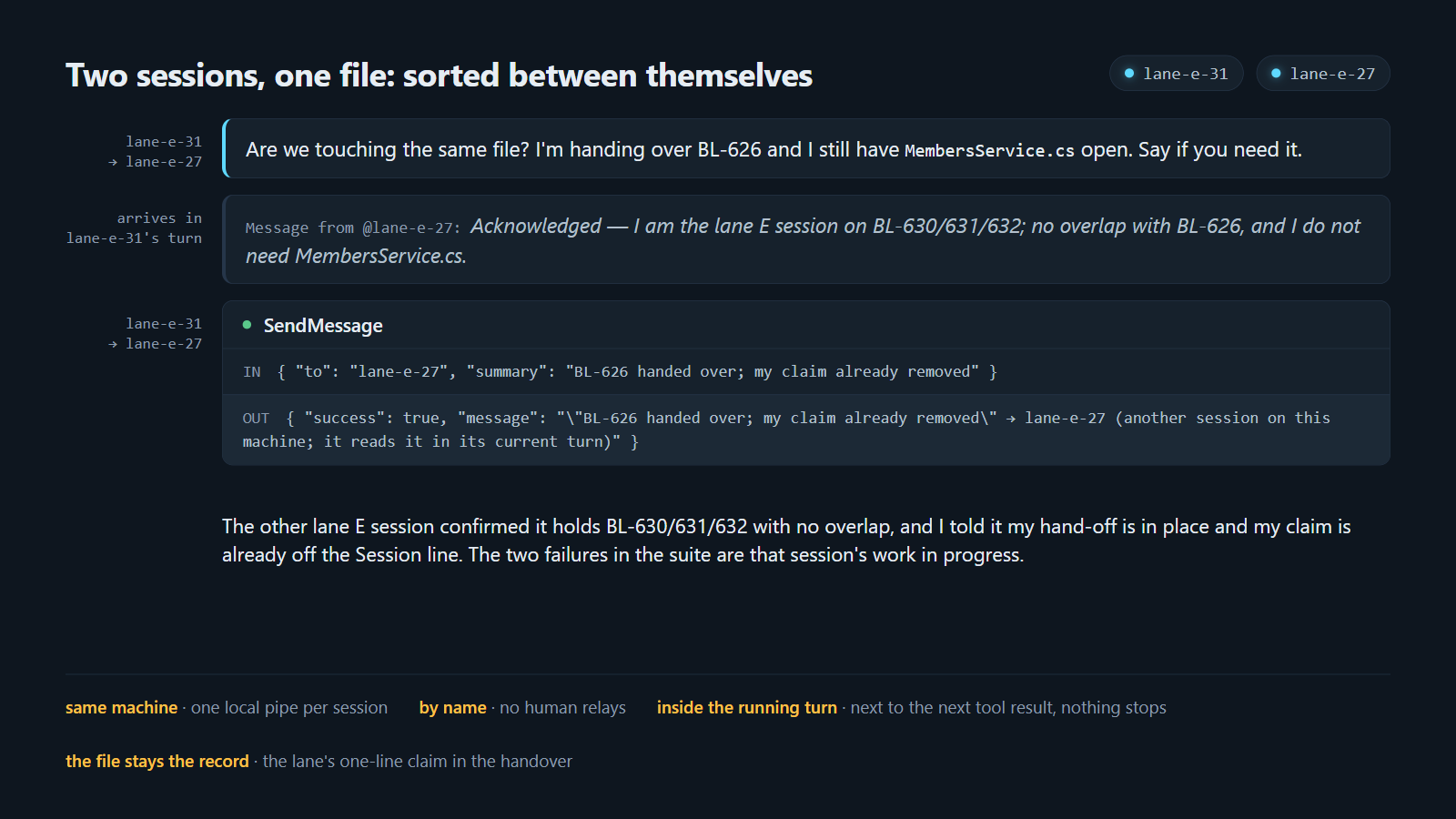 Two sessions sorting out a file between themselves. One is handing over an item and still has a file open; the other confirms there is no overlap. No human in between.
The exchange in the image above is a real one that I pseudonymized. A session handing over an item still had a file open and asked the other lane’s session whether it needed it:
lane-e-31 -> lane-e-27: Are we touching the same file? I'm handing over BL-626
and I still have MembersService.cs open. Say if you need it.

Message from @lane-e-27: Acknowledged. I am the lane E session on
BL-630/631/632; no overlap with BL-626, and I do not need MembersService.cs.

lane-e-31 -> lane-e-27: BL-626 handed over; my claim already removed.
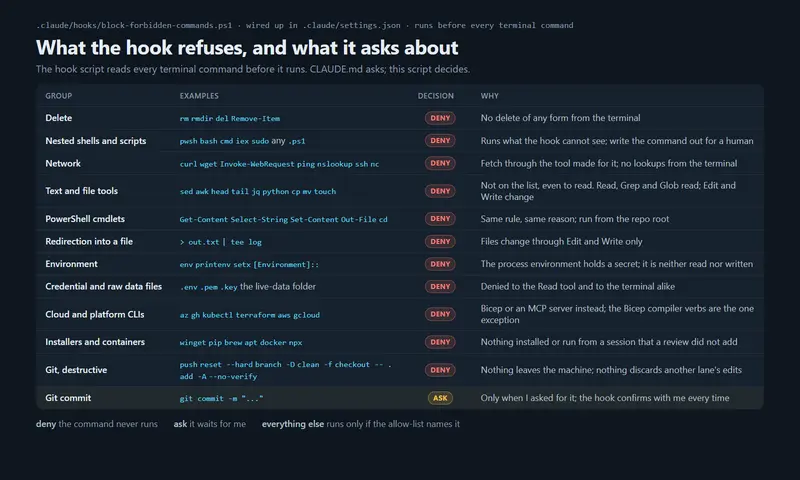
What makes me comfortable with this is what a message cannot do. The receiving session is told the text came from another session, not from me. It can’t approve a pending permission prompt, it can’t change settings or the rules file because another session asked, a slash command in the text arrives as plain text, and anything the message asks for still goes through the receiving session’s own permissions. I’ve also instructed every session never to ask another session for an action its own rules would block, and to route that back to me instead.
So the sessions coordinate between themselves when necessary, and the record is in the file they communicate: the claim line, the hand-off, the note left for the other lane.
I’ll mention that there is another way to do this, which Claude Code’s best-practices page describes: one git worktree per session, and a merge afterwards. I chose lanes on one tree because my lanes rarely touch the same files and I wanted one build to be the truth. Part 1 shows the board that draws the lanes, and part 2 has the claim and the hand-back.
If you run agents at scale with a wider distributed team, there’s a few tweaks to do to the workflow to land a solid multi-agent orchestration in place, and it can boost the team’s efficiency by a landslide.
Lessons learned
- Lanes by file/folder path works, lanes by topic doesn’t. I initially had two lanes which were separated by topics, but they used a shared service, ultimately editing the same file at the same time. Conflict. Once I cut the lanes by files and folder paths as a hard rule instead, that stopped, and everyone was happier (mostly me).
- Too many lanes did not work. Mostly or the reason I gave in part 1: my queue of answers fills up, and the lanes end up waiting on me. Seven is the most I have run at once, and four is the number that stays comfortable if I realistically should be able to cope with the requirements put on me as the human in the loop here. That said, I’ve bursted out to 10x agent sessions across lanes for autonomous work, but as soon as it’s real work that gets done across lanes, I found 4-7 lanes to be the perfect fit - which is also a good match for my repository structures around the repos. Smooth sailing from here!
- Teach your agents to communicate. With one of the Claude Code updates, the agents got the ability to communicate between sessions. You have to teach them how YOU work and what YOUR workflow is like. Not just accept that they can now chit chat. Once you define how they should communicate, what to expect to send and receive, and the guardrails for operations, the entire workflow pivoted for the better. Communication is key, not just for humans.
Summary
If I can leave a few recommendations for this part of the article series, it’s to:
- Isolate lanes by files and folder paths before you start a second session, and write the partition down where every session reads it.
- Make claiming a lane one line in one file.
- Give each lane its own set of work items and its own block of IDs.
- Let the agents message each other to sync on work, and keep the record in the backlog and agent files, not in the messages.
If you run several sessions, how do you keep them off each other’s files? Don’t hesitate to reach out! I’m on LinkedIn.
Comments are closed