I bumped into an issue the other week where I was creating a new BCS External Content Type and was hoping to hook up some new connections on a couple of demo farms I’ve created.
While most of these things were working like a charm, I bumped into an odd error message that basically told me that the elevation of privileges isn’t enabled on my BCS Service Application.
Problem, a short story told even shorter
You might receive an error message like this when trying to hook up a new External Data Source depending on your configuration:
The metadata object that has Name ‘yourName‘ has a Property with name ‘AuthenticationMode‘ and value ‘RevertToSelf‘. This value indicates that the runtime should revert to the identity of the application pool, but reverting to the application pool must be explicitly enabled for the service application by a farm administrator.
Solution
While digging around for a couple of minutes I couldn’t really find a suitable UI option for changing this behavior, so I dug into the power of PowerShell instead – which probably saved me quite some troubleshooting.
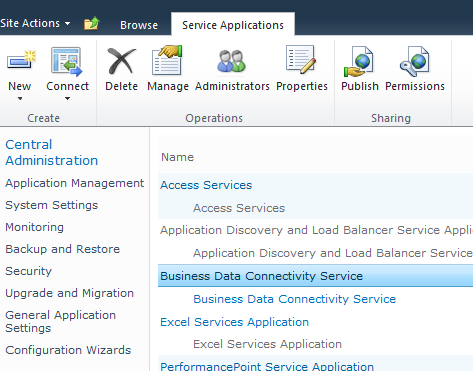
First you need to check the name of your Business Data Connectivity Service Application – a quick way is to check the UI, or you could use a PowerShell Cmdlet or use the API. I’m just using the UI for easy access:
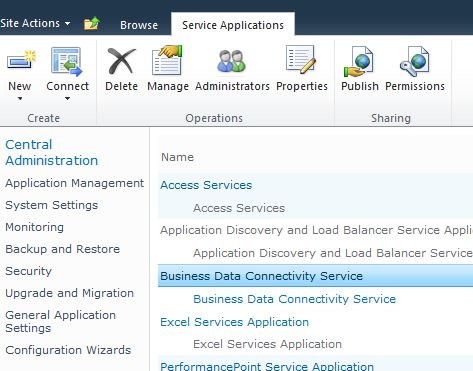
Next, launch a new SharePoint 2010 Management Shell console and type in the following lines of code. Note that the name of the Service App below, is a copy of the name you took above:
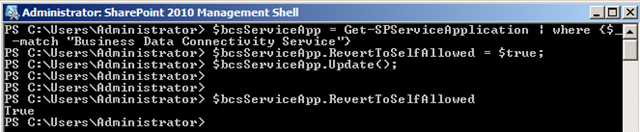
$bcsServiceApp = Get-SPServiceApplication | where {$_ -match "Business Data Connectivity Service"}
$bcsServiceApp.RevertToSelfAllowed = $true;
$bcsServiceApp.Update();
This should now execute nicely (if you’ve got the appropriate permissions) and you should be able to see the RevertToSelfAllowed property be changed to true:
If you now would try to hook up your connections again, you should hopefully not see this message again.
Quick fix, done. Enjoy.


Comments are closed
Archived comments
thanks for the lead but i still have an error like property RevertToAllowed cannot be found for the object. How is this fixed?
You'll have to elaborate on that.
I got this error when not calling the Business Connectivity Service the right name in the quotes of the command. For example, if you call your service "BDC Service" the 1st line needs to read: $bcsServiceApp = Get-SPServiceApplication | where {$_ -match "BDC Service"}
Hi there-I attempted this fix but PowerShell responded by telling me "A potitional parameter cannot be found that accepts argume $null'/ At line:1 char:50, then a bunch of stuff about how it's an invalid argument, then "You cannot call a method on a null-valued expression"
Hi,
Do you mind sharing the details of your commands?
Tobias - Another GREAT solution! Thanks for solving the problem I was having.
Alan Wooley
Thanks Alan, much appreciated.
Thanks, solved my problem too!
Thanks for sharing!
You're welcome Angelo, and thanks!
Thanks for the article.
You're welcome, thanks for commenting!
Thank you so much for posting. It works great.
Glad to hear! Great that the tips still work almost a decade later! 💪
Great article.Thanks!!!
Glad it can be useful after all these years 😊
Dear Tobias
Thanks a lot for your useful article
You solve last ring of BDC problem!